Updating the scorecard post-event
The scorecard is a living document. Every town hall produces new rows, new sources, and sometimes a grade change. Update within 7 days.
A scorecard that is not maintained becomes a relic — the public sees a 2024 card with no 2026 rows and trusts it less. Maintenance is what keeps the scorecard a credible artifact.
What updates after an event. Any commitment captured on camera (Module 5.4) is a new row, with the video clip URL as the source. Any new public statement made during Q&A is potentially a new row — but only if it is on a defined scorecard issue. Random opinions from Q&A do not become rows.
What does not update. Don't move the grade based on a single Q&A response. Grades reflect the documented record across the issues — they move when votes happen, when public positions formally change, or when consistent attendance/absence pattern emerges. A single hot-mic answer is a data point, not a grade change.
Re-versioning. Each scorecard has a version number and a date. When you update, increment the version. Keep the prior version archived. Stakeholders sometimes cite the old version weeks later — keep it accessible.
Cross-check before publishing. Two captains review each scorecard update before it is published. The reviewer checks: every row has a source URL that loads; the grade math is correct; the version number incremented; the prior version archived; no language has shifted toward editorial framing.
Publish the update. Email the updated scorecard to the constituent list within 7 days of the event. Use the same email thread as the 48-hour follow-up so attendees see the loop close.
Learner action
Schedule the scorecard update as a calendar event 7 days after the town hall. Block 60 minutes. Assign the two captains who will review.
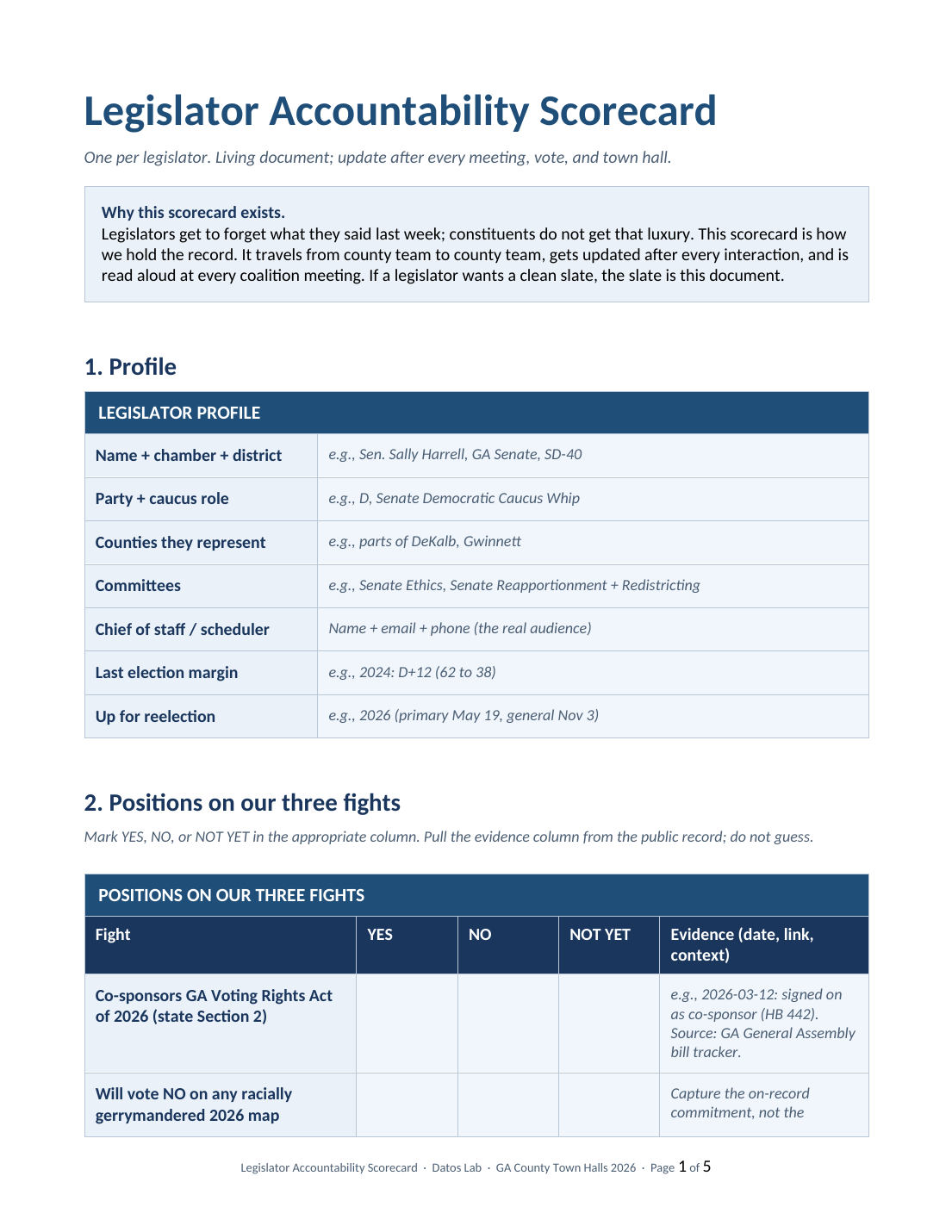
Legislator Accountability Scorecard
After the town hall, update each row with what the legislator said on the record. The evidence column gets the video timestamp, the date, and a one-line context note. This is the artifact that makes 'we asked them' a record instead of a memory.
Action: Complete the learner action above, then slide to continue.